
Return to

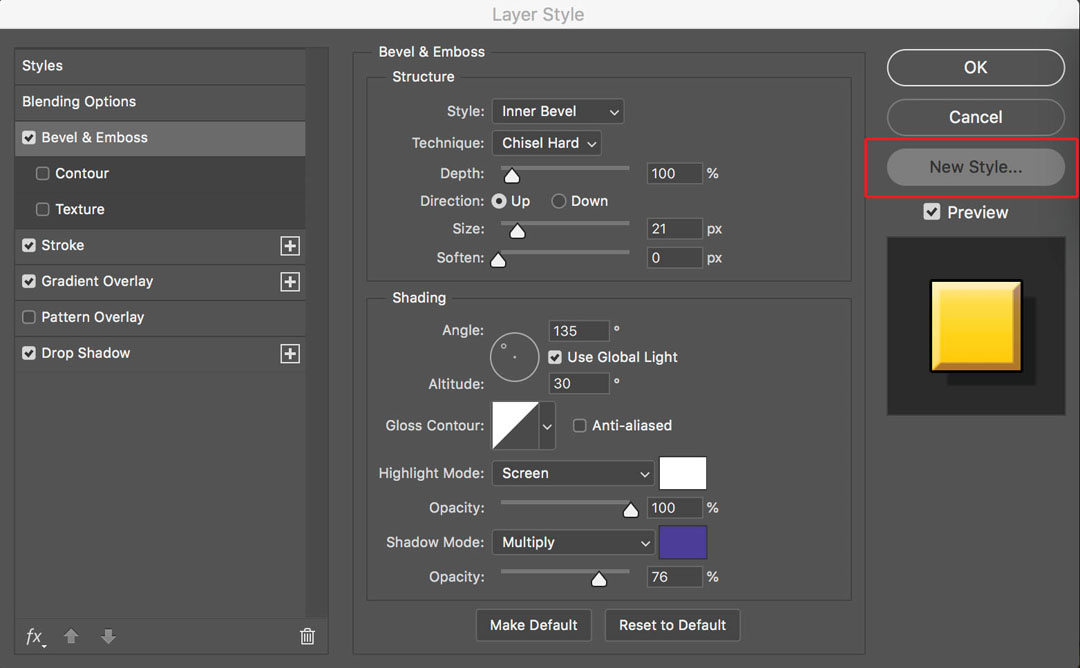
This screen grab shows the settings in the Bevel & Emboss effect, including adding a blue shadow side and white highlight side. A similar panel for Stroke, Gradient Overlay and Drop Shadow will appear when each effect is highlighted on the left side list.

This screen grab shows the settings in the Bevel & Emboss effect, including adding a blue shadow side and white highlight side. A similar panel for Stroke, Gradient Overlay and Drop Shadow will appear when each effect is highlighted on the left side list.

Subscribe
Notify of

This site uses Akismet to reduce spam. Learn how your comment data is processed.

0 Comments
Oldest
Newest Most Voted
Inline Feedbacks
View all comments