
Return to Placing text on a Path

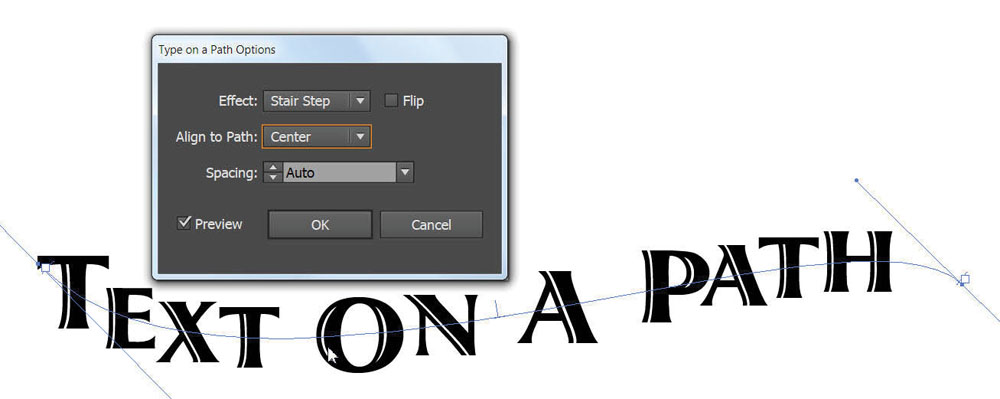
For this image, I drag selected the entire line of text to highlight it, then changed the font. I also used the Type on Path Options (Type on Path>Type on Path Options) to change from Rainbow to Stair Step, and I changed the option to align the option to run the path over the center of the text.

For this image, I drag selected the entire line of text to highlight it, then changed the font. I also used the Type on Path Options (Type on Path>Type on Path Options) to change from Rainbow to Stair Step, and I changed the option to align the option to run the path over the center of the text.

Subscribe
Notify of

This site uses Akismet to reduce spam. Learn how your comment data is processed.

0 Comments
Oldest
Newest Most Voted
Inline Feedbacks
View all comments