
By signcraft
Posted on Friday, March 20th, 2026

CNC routers are a common production tool in more and more sign shops. Cutout letters, sign faces, 3D carving—all these and more are easy tasks for CNC equipment. It becomes an essential part of the production process in many shops.
But this technology not only lets you do routine sign production tasks easier and faster—it opens you to new markets, increasing the types of work you can handle in-house, like custom 3D signs and architectural signs. These markets are growing because CNC equipment is making it possible to do things that were too expensive to do in-house before. CNC equipment can move a shop into markets that are less competitive than flat signage, too.
CNC routing requires two components—the router table and the software to drive it. It’s the software that converts your designs into the instructions that control the router. The third key component is investing the time to learn to use the software so that you get the most out of your router.
If you’re looking for ways to grow your business, you’ll be interested in hearing what these shop owners have to say about how CNC technology fits into their shops. They’ve seen the benefits of faster production, new creative options and new markets.
Peter Poanessa
Keene Signworx, Swanzey, New Hampshire
The CNC router opens up so much creative potential for you. I can’t imagine running a small shop without one. It makes it practical to do some really amazing things.
I bought my first CNC router in 1997. I had seen it at a trade show and thought it would be a great tool for us. But I was a little nervous about spending the money. I did some research and decided it made sense for us. It would save labor and give me more flexibility in my designs. That it certainly has. We’re well known for our 3D work, and it makes up about 60% of our sales. But we’re really an all-around commercial shop. We’re in a small market, so we do a little of everything.
We use the router for a lot of our 2D work, too. It seems we cut something on the router for just about every sign we do. When it was down last spring for the first time in 15 years, I was like a fish out of water. I had to lay out and cut things by hand! It was an eye-opener as to how much we use it.
The fact that it saves labor, though, is only an advantage if you use that time to boost your sales. If you lower your prices or use the time you save to go fishing, it’s not going to be an advantage at all.
I am careful not to let the speed of the router influence my pricing. You have to avoid the idea that it lets you make signs faster and cheaper. I love making signs, but I want to make a good living, too. The router is a great tool that helps make that happen.
Far from being some sort of sci-fi robotic utopia, CNC machines are just another tool, requiring practice, skill, care and respect. 95% of the qualities of a good computer-cut sign are the result of humans taking great pains with the design of the sign. The machine will dumbly cut whatever you send it. What we do is work like hell to send beautiful signs out to that machine.
Dayna Reed
SignArtSigns.com, Hood River, Oregon, and author of Sandblasted, Carved and Routed Signs Made Easy and More Super Cool 3D Signs, both available on DVD at www.signcraft.com
Some of us seem to be drawn to 3D signage. Adding dimension can really add appeal to a sign—and bring extra value for the client. A CNC router makes that easier and faster. And it’s more within reach than you may think.
Before you decide you can’t justify the cost, take a look at your primary use for a router. You can get in different levels. Take a look at the scope of your work. How big are your typical projects and how complex are they? Would you mostly be cutting out components for signs or cutting entire sign faces?
In my case, much of my work involves cutting out letters or routing out a background with raised graphics for average-sized signs. I don’t need a huge router table or a lot of complex features. If I run into something more complicated than my equipment can handle, I can fall back on traditional skills—after all, I was doing most of these techniques long before I had a CNC machine.
Even if you don’t have traditional skills and occasionally run into a more complex project, you can contract that out to someone who has more sophisticated equipment. The important thing is to take advantage of the speed and accuracy that a CNC router can give you.
Raymond Chapman
Chapman Sign Studio, Temple, Texas
A CNC router really simplifies doing 3D signs. It’s not as messy as sandblasting, much faster and easier than carving or hand cutting graphics, and more precise than you can imagine. You can do all sorts of interesting textures in the backgrounds. The letters can be convex or have inlines, outlines or whatever. You can cut and rout all sorts of materials.
For me, the best feature of all is that it’s easy to add creative effects. You can add those details that can make a sign more appealing without running the production time out of sight. That can be a problem when you do things by hand. Plus, the router makes doing multiple signs from the same design very easy.
My CNC router has paid for itself many times over. I don’t experiment quite as much as others do, but it does all I need and more. You can take it as far as you want if you put a little more time into learning. It really simplifies so much of the everyday sign production—plus it gives you much more that you can potentially do if you want.
This appeared in the September/October 2014 issue of SignCraft.
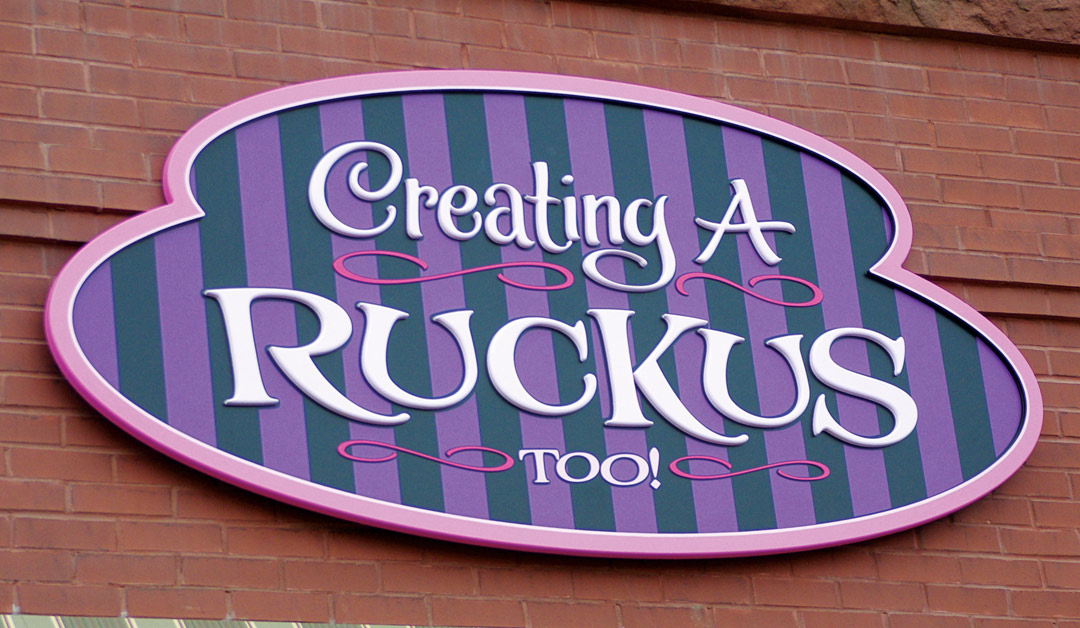
Dave Correll, Brushwork Signs, Faribault, Minnesota: ShopBot CNC router with ArtCAM software
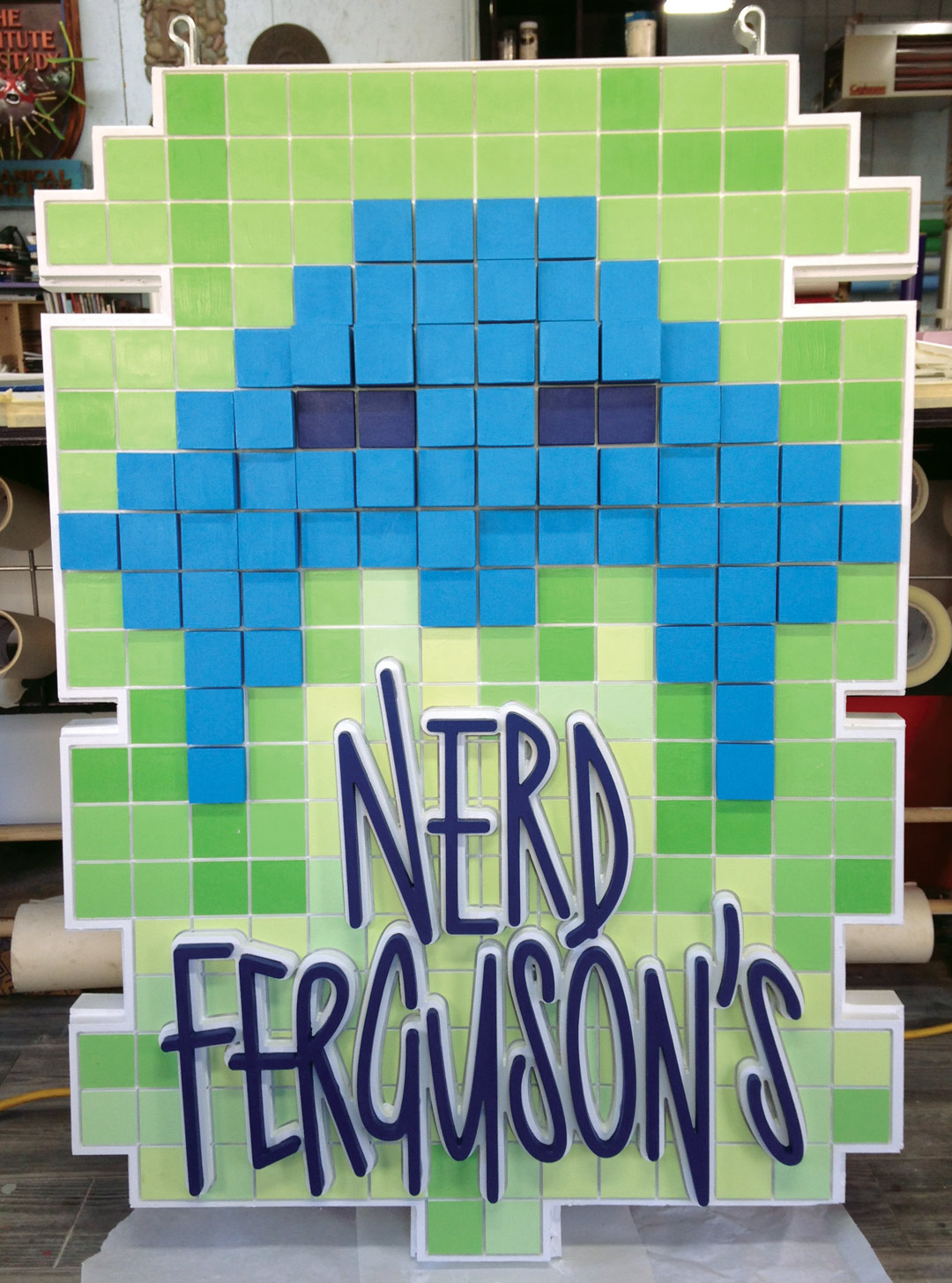
Jennifer DeVos, The Graphix Garage, Pickford, Michigan: ShopBot CNC router with Vectric Aspire software
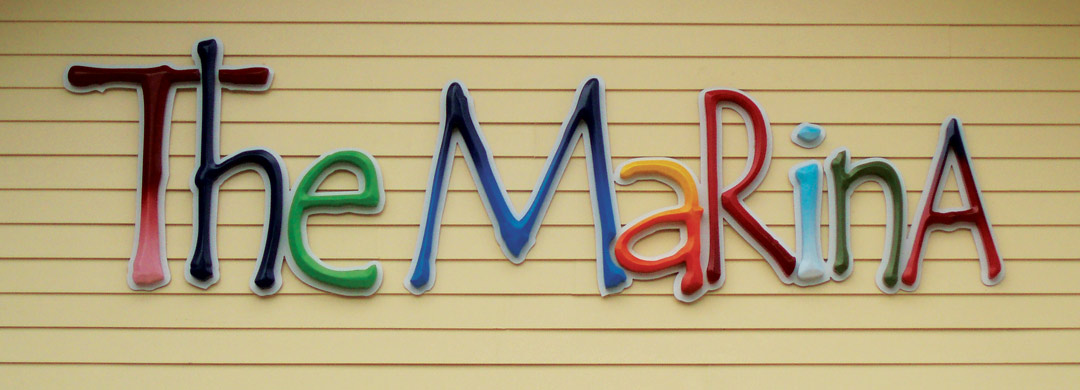
Peter Poanessa, Keene Signworx, Swanzey, New Hampshire: Precix CNC router with Enroute software
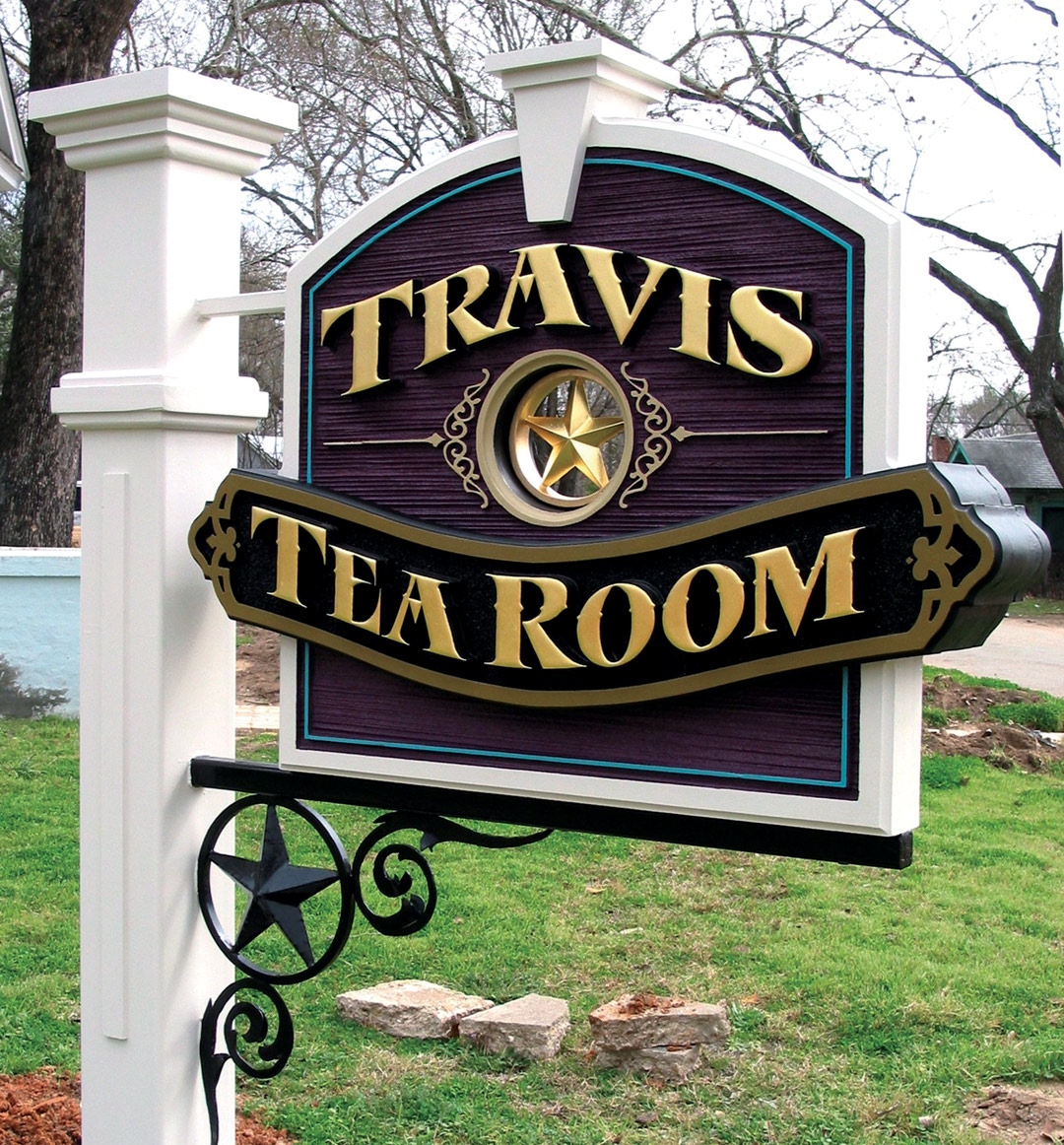
Raymond Chapman, Chapman Design Studio, Temple, Texas: ShopBot CNC router with Vectric Aspire software
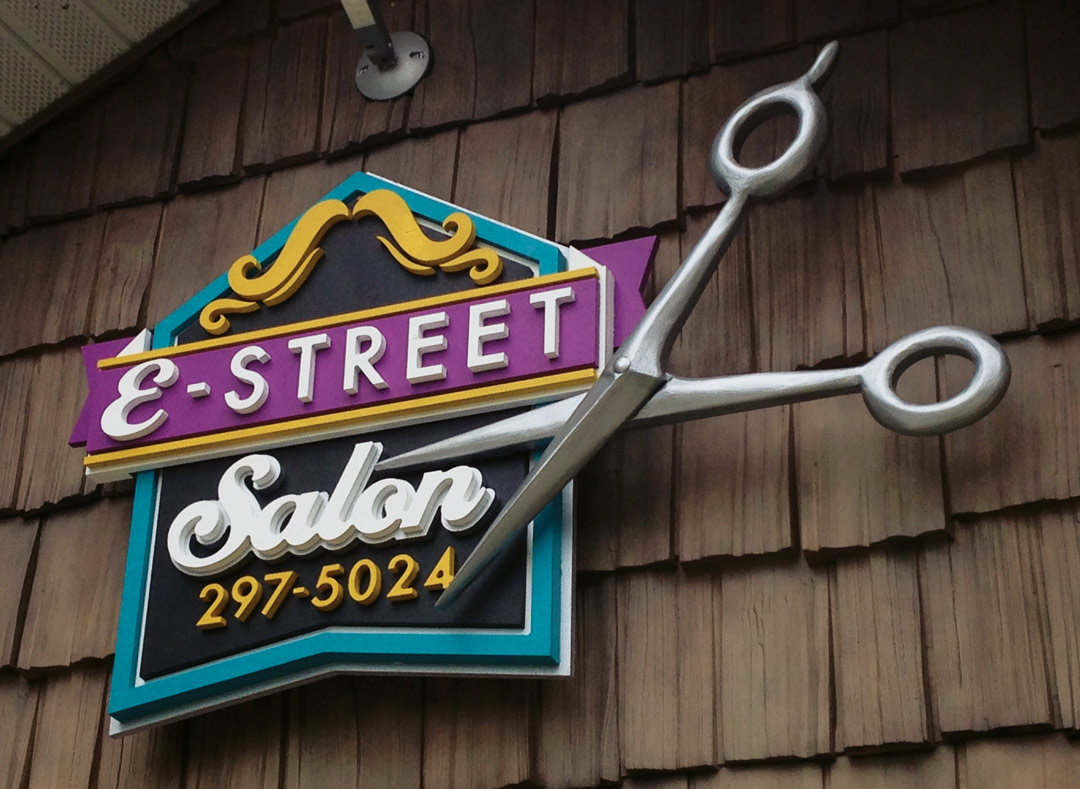
Jennifer DeVos, The Graphix Garage, Pickford, Michigan: ShopBot CNC router with Vectric Aspire software
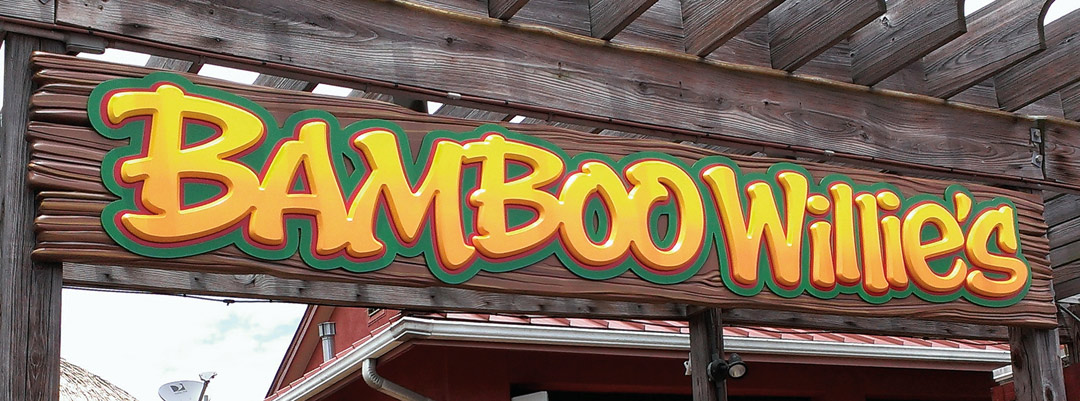
Aaron Taylor and Tom Paux, Brix Design, Pensacola, Florida: MultiCam CNC router with Enroute software
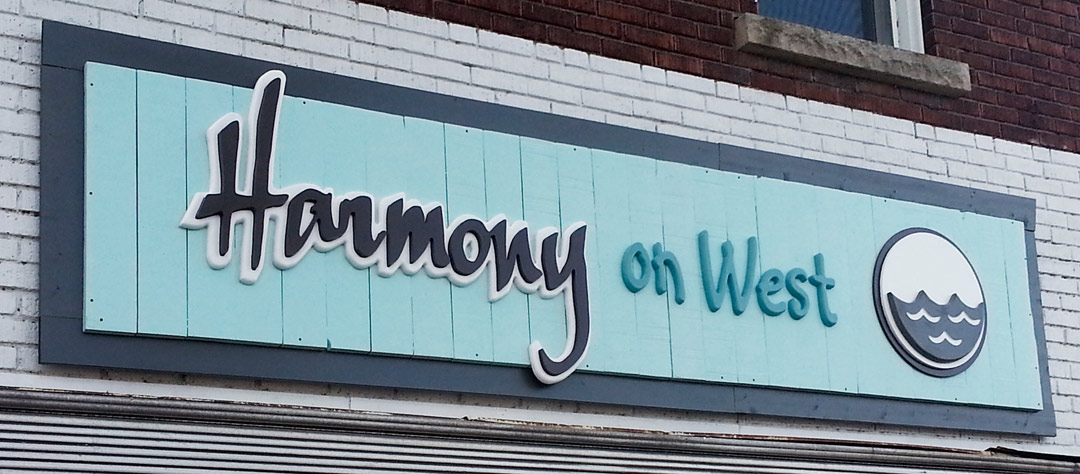
Sandy Baird, Windwalker Signs, Port Colborne, Ontario, Canada: AXYZ CNC router with Vectric Aspire software
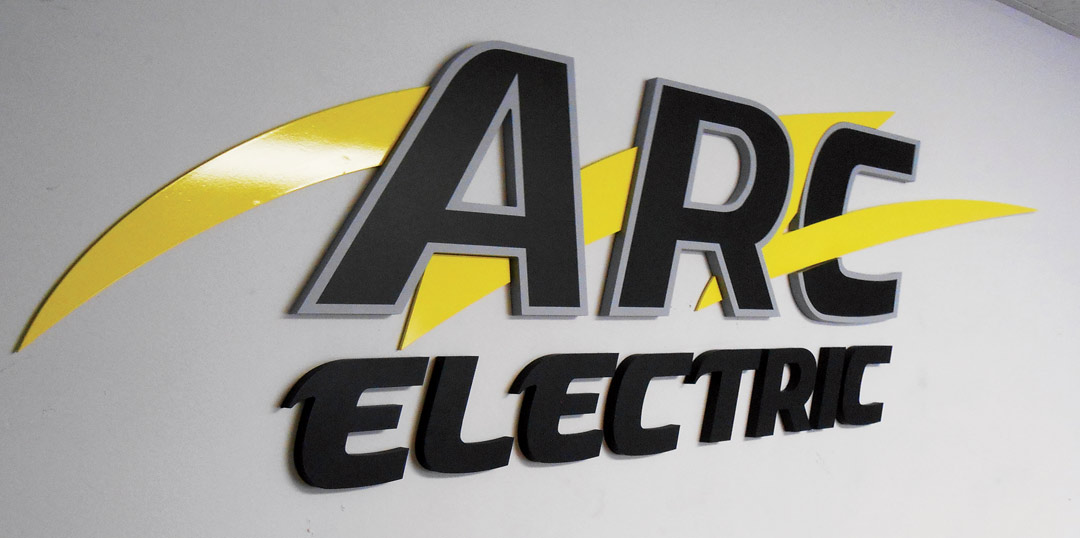
Brian Meister, Image 360/Lauderhill, Lauderhill, Florida: Vision CNC router with Vision PRO Software
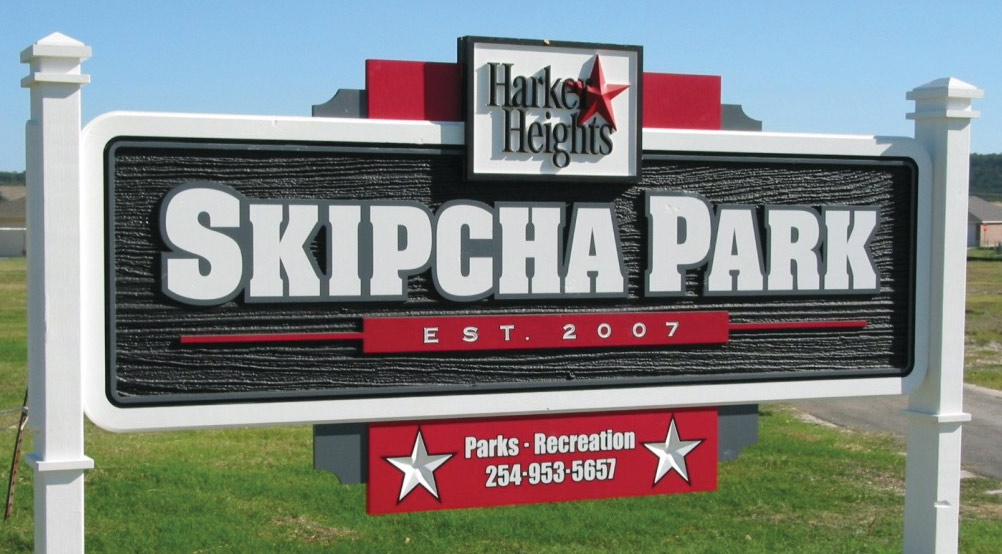
Raymond Chapman, Chapman Design Studio, Temple, Texas: ShopBot CNC router with Vectric Aspire software

Dayna Reed, SignArt Signs, Hood River, Oregon: Gerber Dimension CNC router with Gerber Omega software
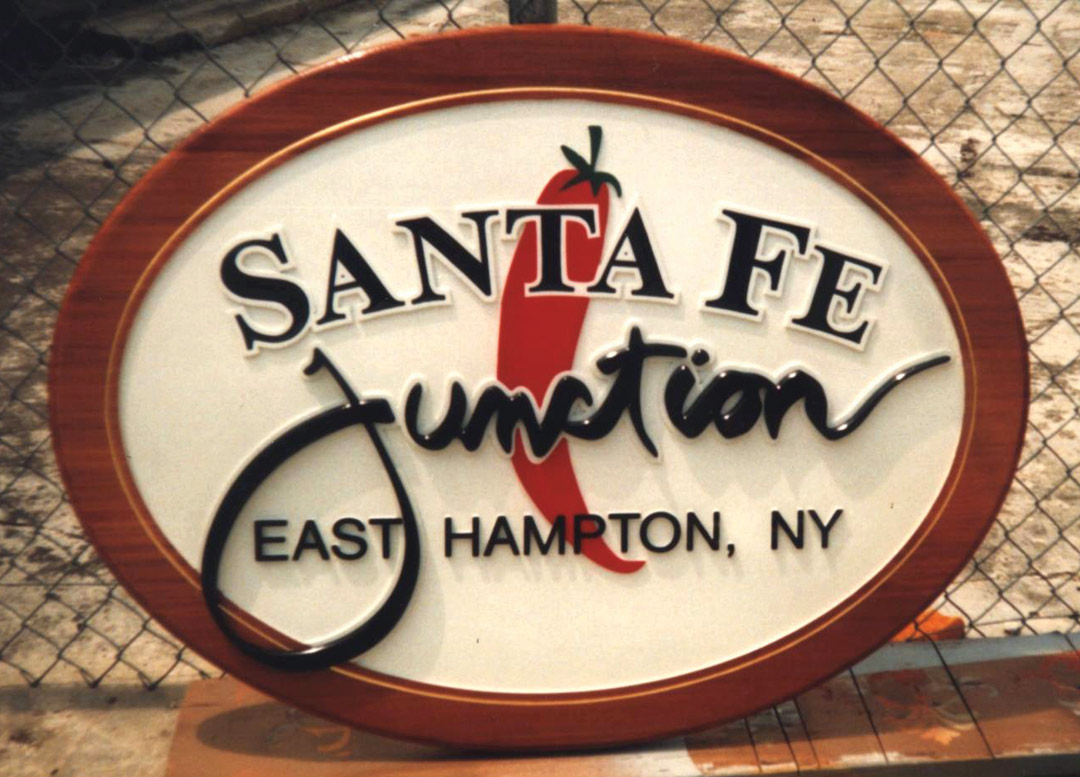
Bob Stephens, Skywatch Signs, Zephyrhills, Florida: MultiCam CNC router with CadLink ProfileLab and Vectric Aspire software
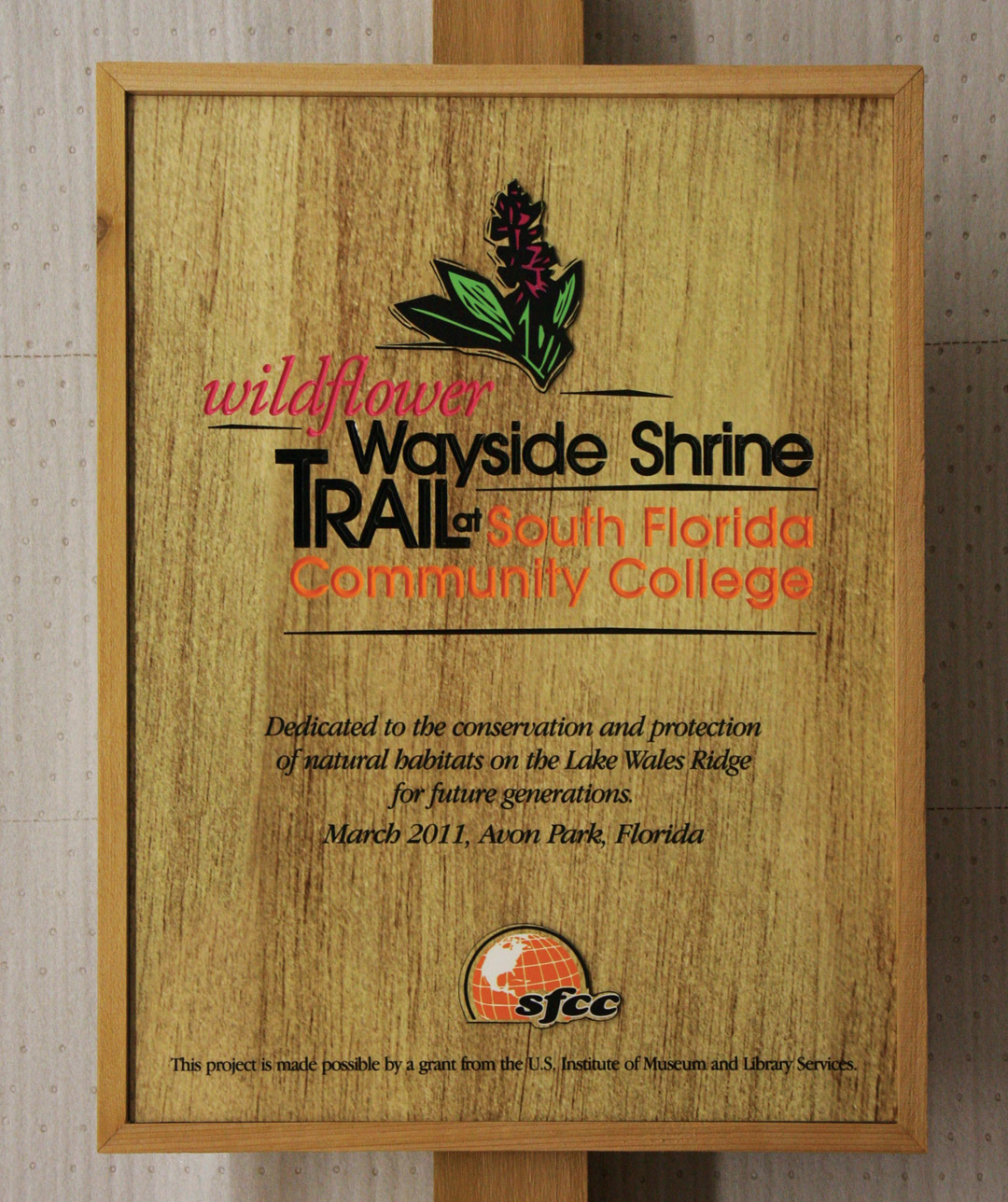
Bob Stephens, Skywatch Signs, Zephyrhills, Florida: MultiCam CNC router with CadLink ProfileLab and Vectric Aspire software. This sign is a direct print on PVC, with V-carved letters on the larger copy, routed through a mask then painted.

Aaron Taylor and Tom Paux, Brix Design, Pensacola, Florida: MultiCam CNC router with Enroute software
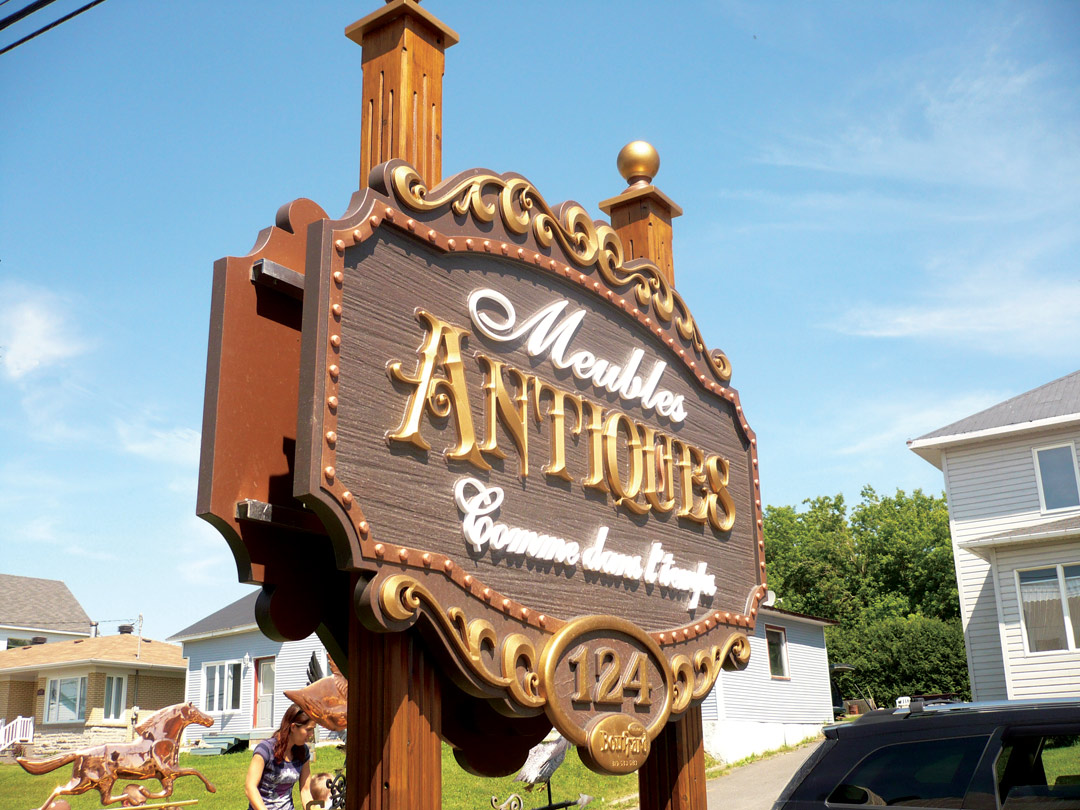
Vincent Bouffard, Enseignes Bouffard, Lac-Mégantic, Quebec, Canada: MultiCam CNC router with TypeEdit software

Vincent Bouffard, Enseignes Bouffard, Lac-Mégantic, Quebec, Canada: MultiCam CNC router with TypeEdit software
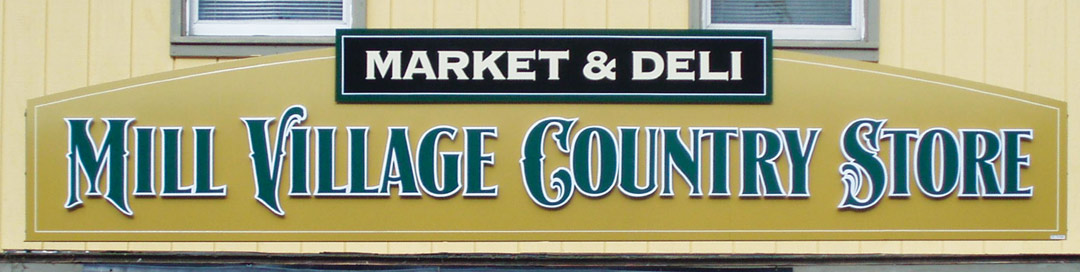
Peter Poanessa, Keene Signworx, Swanzey, New Hampshire: Precix CNC router with Enroute software
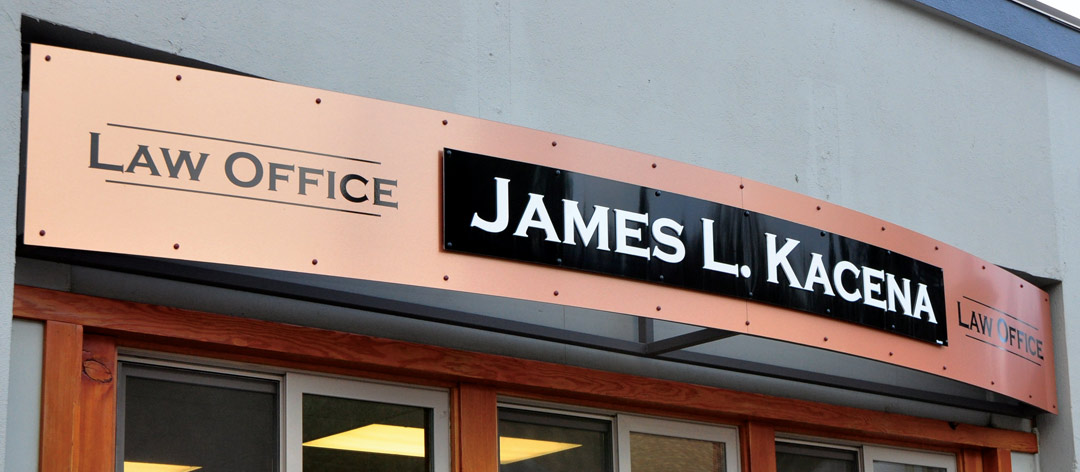
Dayna Reed, SignArt Signs, Hood River, Oregon: Gerber Dimension CNC router with Gerber Omega software
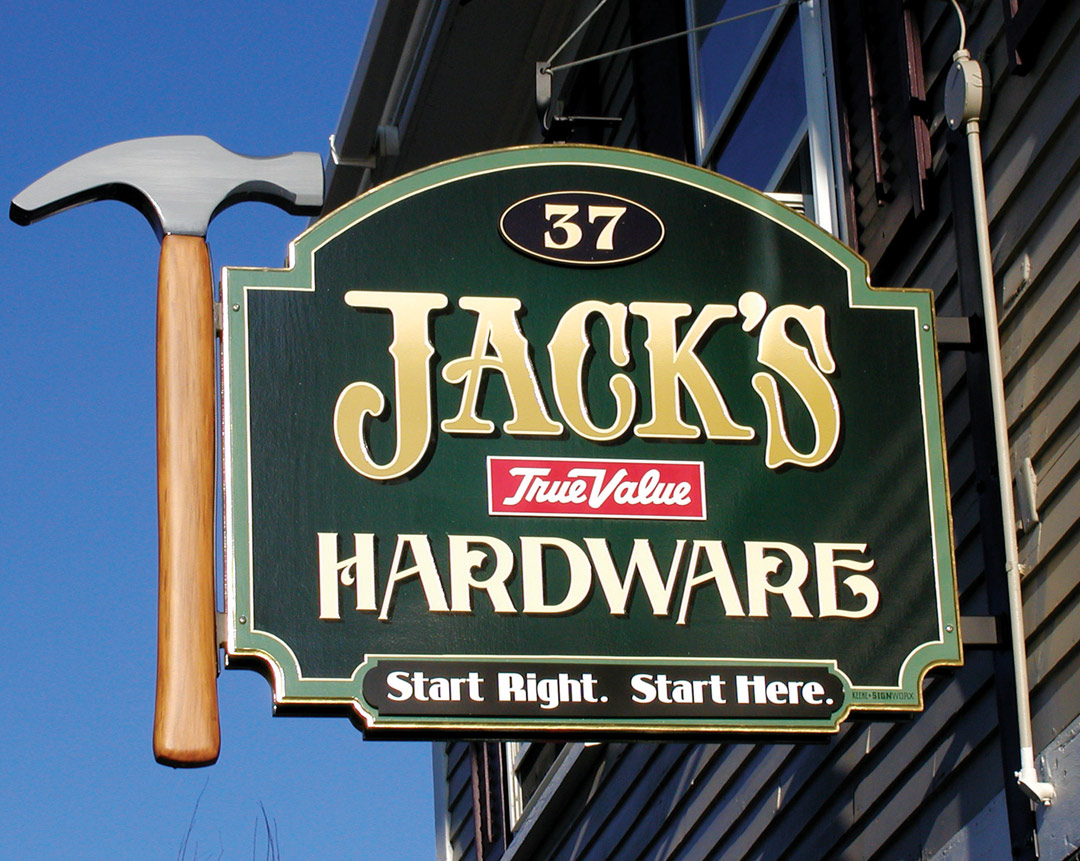
Peter Poanessa, Keene SignWorx, Swanzey, New Hampshire: Precix CNC router with Enroute Software
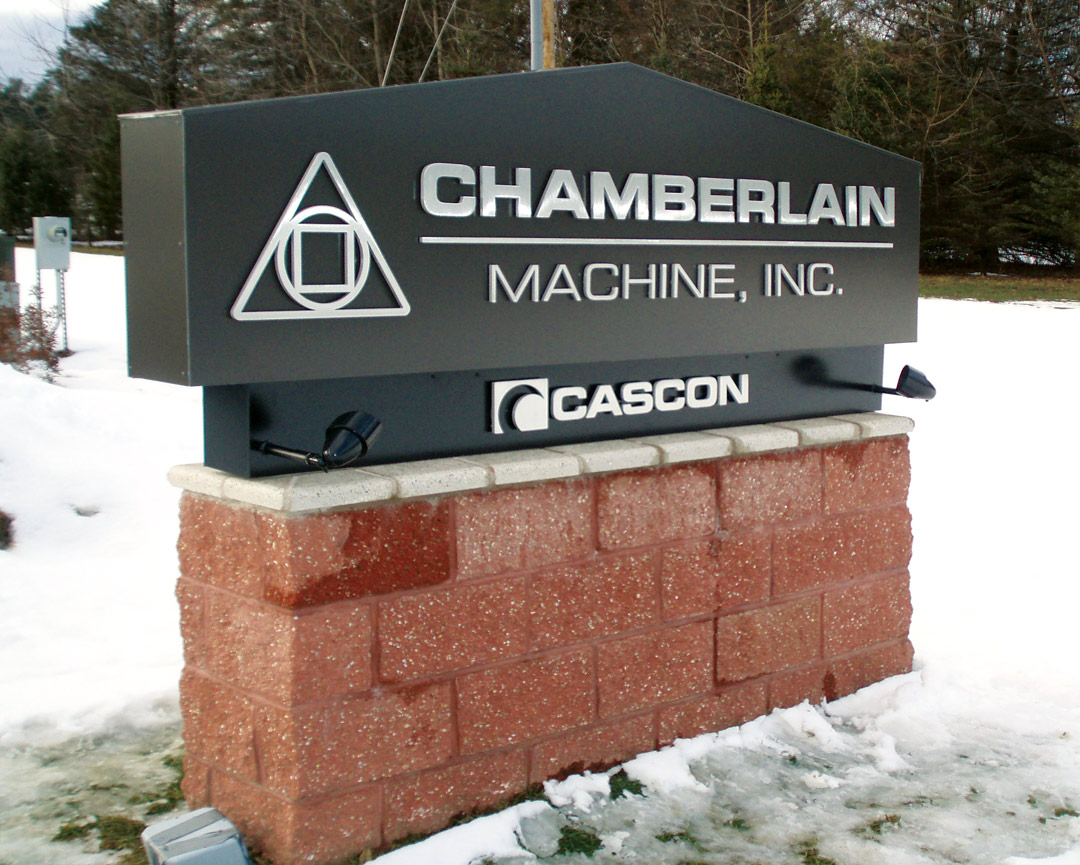
Peter Poanessa, Keene SignWorx, Swanzey, New Hampshire: Precix CNC router with Enroute Software
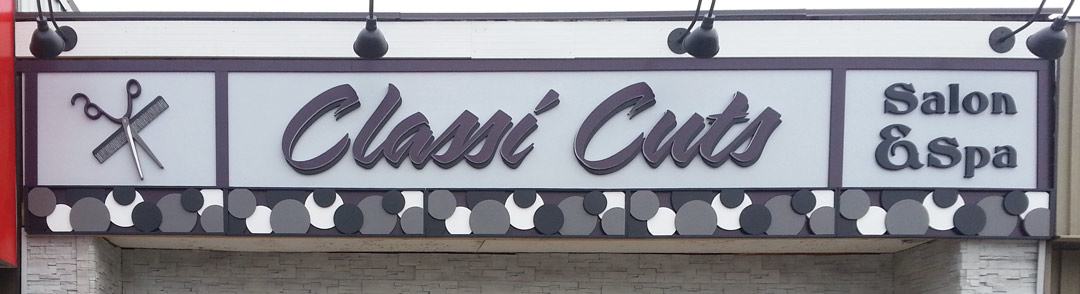
Sandy Baird, Windwalker Signs, Port Colborne, Ontario, Canada: AXYZ CNC router with Vectric Aspire software

Heidi and Lonnie English, Diverse Signs, Fresno, California: MultiCam CNC router with ArtCAM software
This appeared in the September/October 2014 issue of SignCraft.


