
Return to

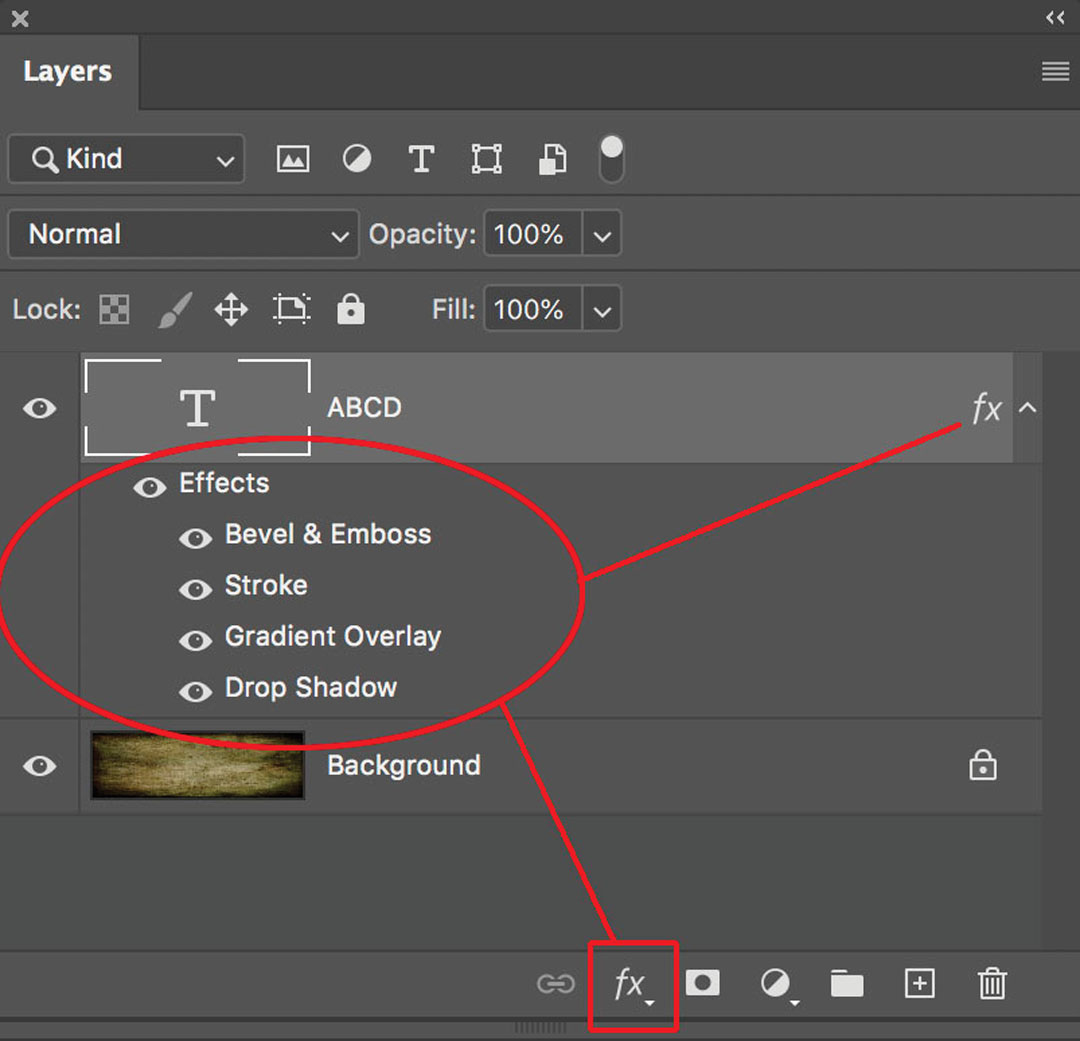
To begin building a Layer Effect, enter the line of text as usual, then click on the “fx” icon at the bottom of the layer, then add one or more of the effects. When Layer Effects are applied, the “fx” indicator appears on the layer. I used four different effects for this example.

To begin building a Layer Effect, enter the line of text as usual, then click on the “fx” icon at the bottom of the layer, then add one or more of the effects. When Layer Effects are applied, the “fx” indicator appears on the layer. I used four different effects for this example.

Subscribe
Notify of

This site uses Akismet to reduce spam. Learn how your comment data is processed.

0 Comments
Oldest
Newest Most Voted
Inline Feedbacks
View all comments