
Return to Placing text on a Path

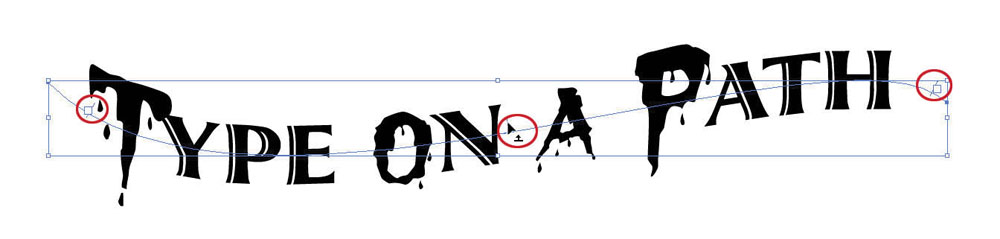
For this image, I replaced several of the letters with a new font and increased the letter height of those letters. I switched the original Type Orientation from “Rainbow” to “Skew” using the Type On Path Options. Lastly, I selected one of the vertical bars (circled in red) to slide the text to a new position along the path.

For this image, I replaced several of the letters with a new font and increased the letter height of those letters. I switched the original Type Orientation from “Rainbow” to “Skew” using the Type On Path Options. Lastly, I selected one of the vertical bars (circled in red) to slide the text to a new position along the path.

Subscribe
Notify of

This site uses Akismet to reduce spam. Learn how your comment data is processed.

0 Comments
Oldest
Newest Most Voted
Inline Feedbacks
View all comments